 AyenAutomates
Custom conversational AI
A custom WhatsApp AI agent, built for your business.
Support customers, members, or teams with an agent that understands your knowledge, follows your rules, communicates in your brand’s voice, and brings in your people when needed.
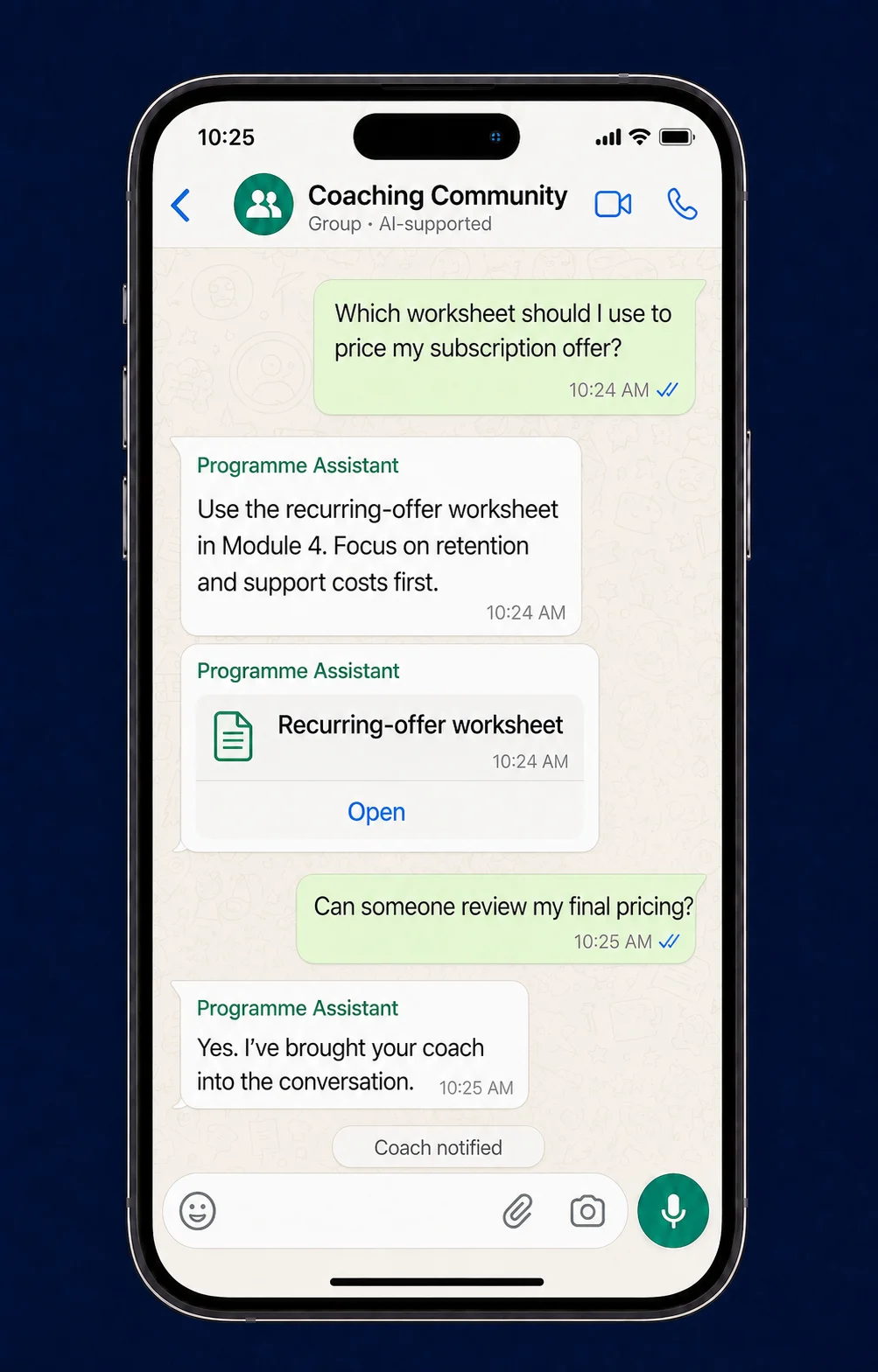
Illustrative scenarios. The final behaviour, knowledge, and actions are configured for each business.
Delivered implementation
First month of operation
A proven foundation
Custom-built, without starting from zero.
This is not a fixed chatbot package. We adapt the knowledge, tone, commands, rules, permissions, connected systems, and human handoffs to the way your business operates.
Your knowledge
Ground answers in the approved information your customers or teams actually need.
Your voice
Shape how the agent responds so the experience fits your brand and audience.
Your rules
Define commands, permissions, conversation behaviour, and the actions it may perform.
Your people
Bring in the right person when context, judgement, or approval is required.
Real implementation
Support after the sale, across direct chats and 200 groups.
For an e-commerce training and coaching business, the agent supported students after purchase through individual conversations and 200 WhatsApp groups.
It used extensive knowledge retrieval to answer programme and coaching questions in the brand’s tone. Multiple commands and complex behavioural rules shaped how it responded.
Coaches and administrators could retrieve selected statistics and database information. The agent involved a person when the conversation required human attention.
In its first month, it answered 8,000 requests.
Behind the conversation
More than a chatbot response.
The useful work happens between the message, your business context, and the correct next action.
- 01Conversation
A direct message or group discussion enters the defined scope.
- 02Context
The agent interprets the request, role, history, and command.
- 03Knowledge
Relevant approved information or selected business data is retrieved.
- 04Control
Brand tone, behavioural rules, permissions, and escalation logic are applied.
- 05Next step
The agent answers, performs the defined action, or involves your team.
Built for the use case
Where could it fit in your business?
Customer or member support
Sales and lead qualification
Booking and request handling
Internal or partner assistance
The core foundation is reusable. The conversations, knowledge, actions, systems, and operating rules are designed around your business.
Your WhatsApp use case
Build the agent your business actually needs.
Bring the conversations, recurring questions, business knowledge, and manual follow-ups. We will define a useful scope together.